Wholesale electricity / The app
The Ecosmart app
Customers get the app when they join. It shows the wholesale price now and what's coming, sends price alerts, and breaks down your spend, usage and bills.
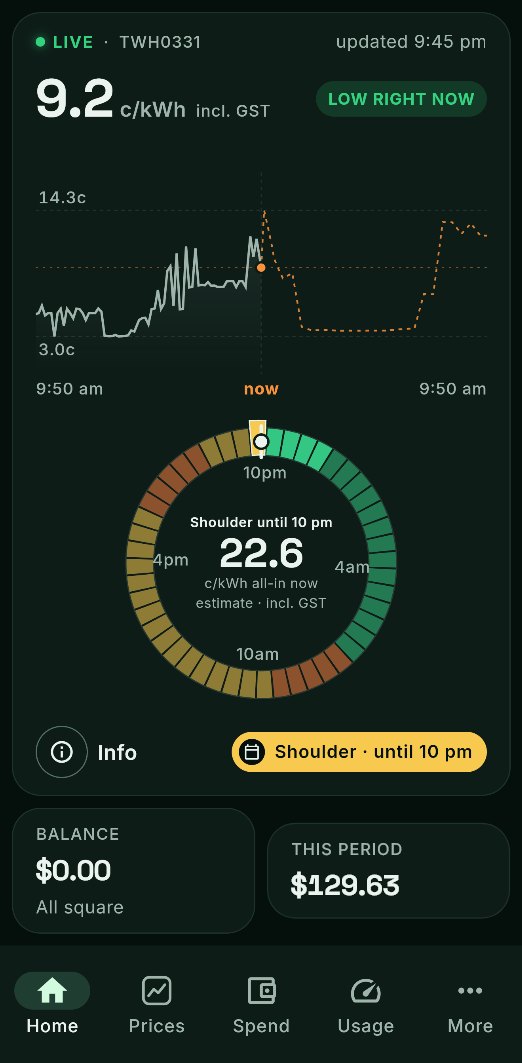
The price, right now
The price on your home screen is the live wholesale market price, including GST, updated about every 5 minutes. It is a guide for deciding when to run the dryer or charge the car. Below it is a line of the last 12 hours and the forecast for the next 12.
When your rates are available, Home also shows the time-of-use band on a clock, peak, shoulder or off-peak, and an all-in estimate for now.
The live price and alerts are a guide and can be delayed. You're billed the settled half-hour price. (Live price vs the price you're billed: The live price in the app is the 5-minute dispatch price. It's a guide and can be delayed. You're billed the settled half-hour final price, which the market publishes after the day; WITS (electricityinfo.co.nz) is the authoritative source. If a final price isn't ready when we bill, we use the interim price and correct it on a later bill. That's the exception, not the rule.)
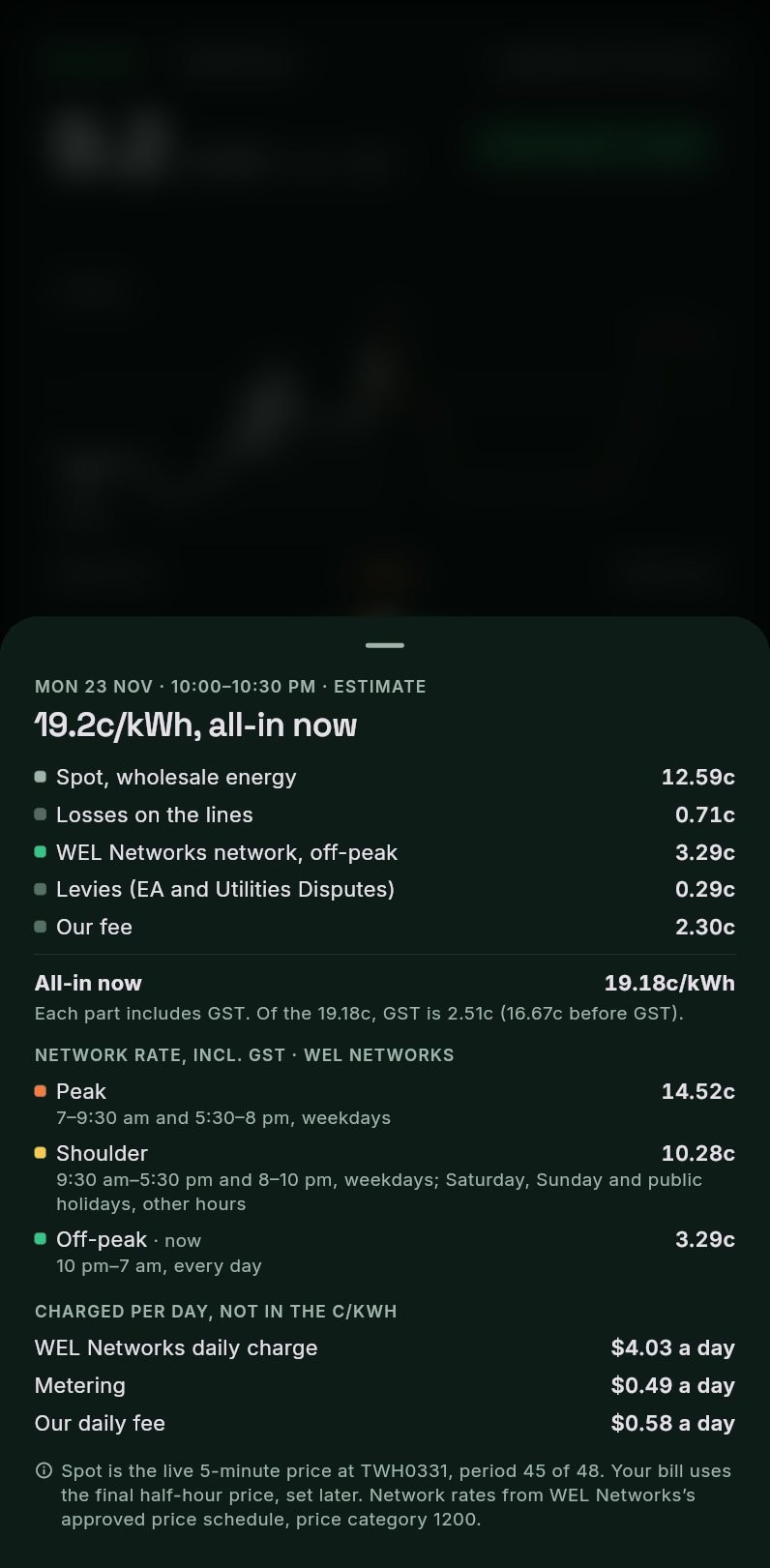
Every part of the price
Tap Info on Home for the all-in price now, in c/kWh: spot, losses on the lines, your network's charges, levies and our fee. Each part includes GST.
Underneath are your network's peak, shoulder and off-peak rates and their hours, and what's charged per day, not in the c/kWh.
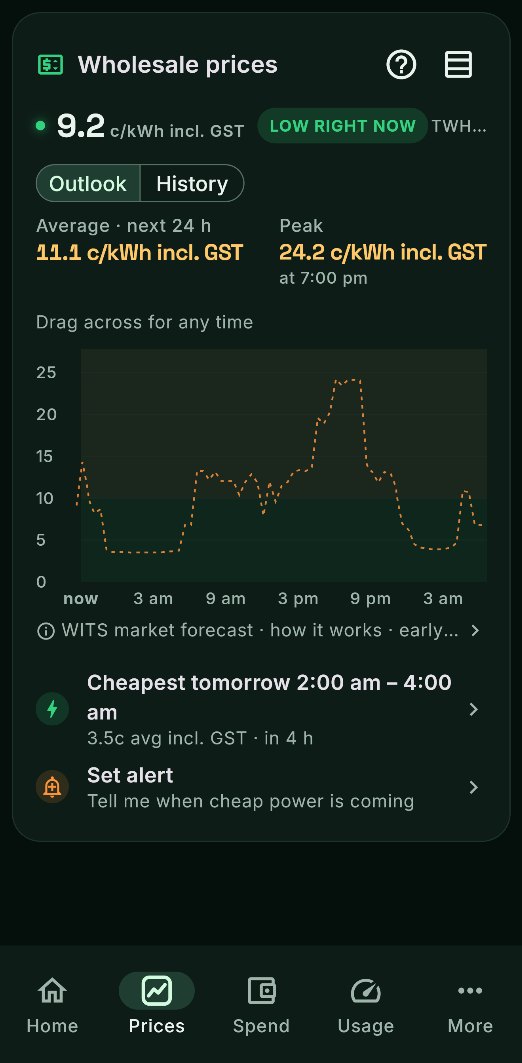
See what's coming
Prices shows the WITS market forecast for the hours ahead, with the average and the peak for the next 24 hours. It flags the lowest-priced stretch, and you can drag across the chart for any time. History shows the prices before now.
A forecast is a guide and can change.
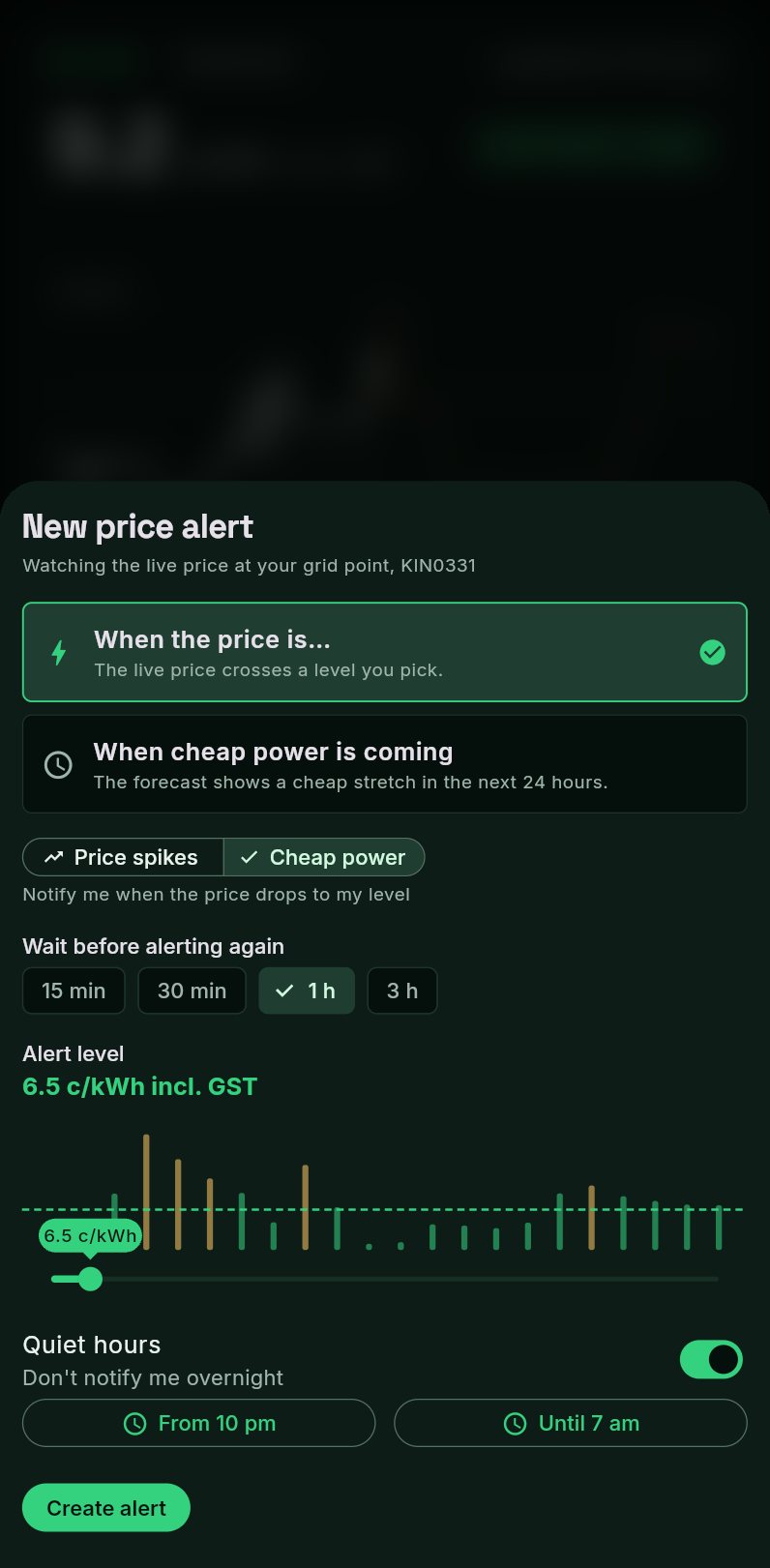
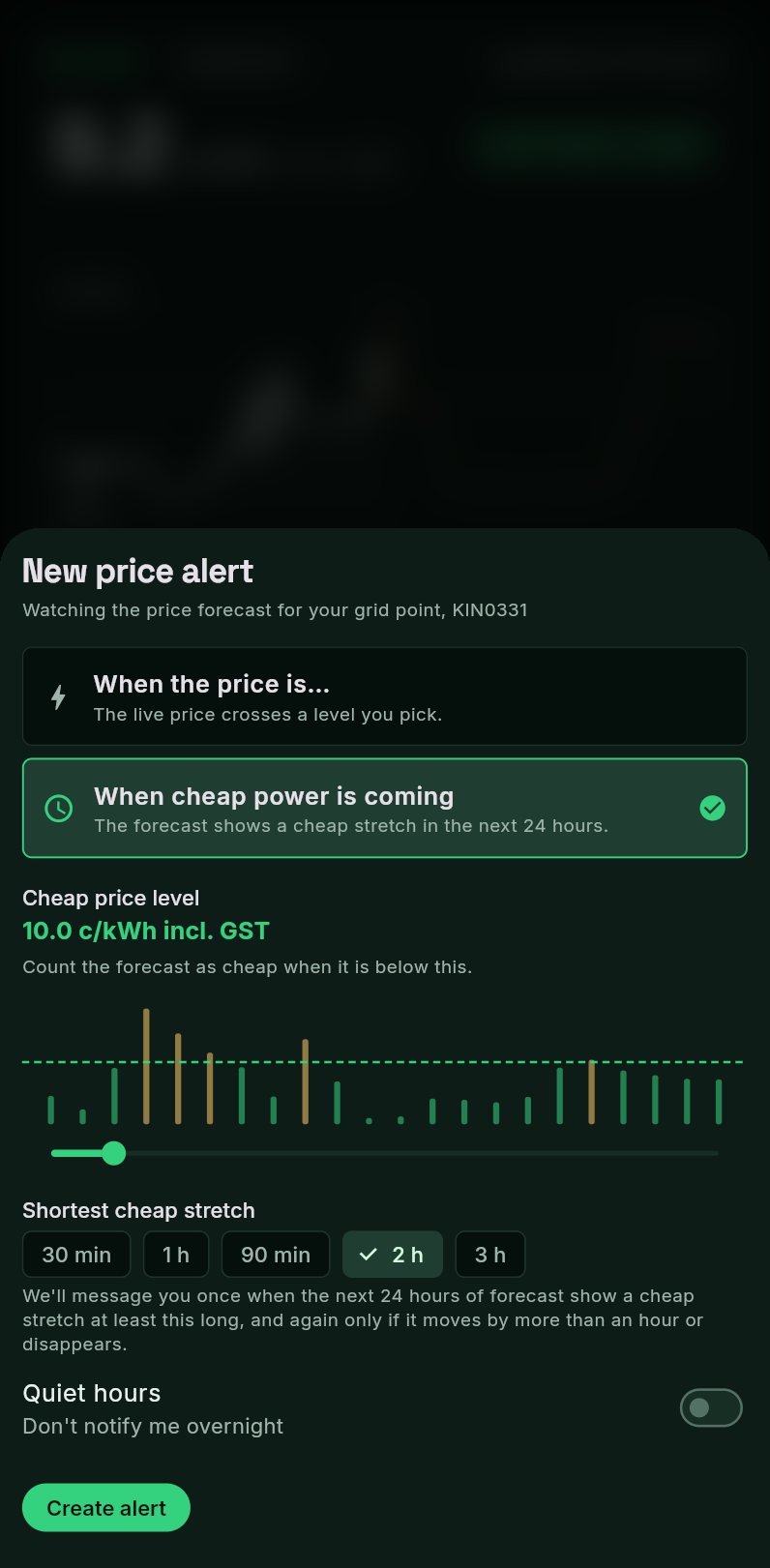
Price alerts
When the price is… The live price crosses a level you pick. Get notified when the price drops to your level, or when it spikes above it, and choose how long to wait before alerting again.
When cheap power is coming. You set what counts as cheap and the shortest stretch you care about. The app messages you once when the next 24 hours of forecast show a cheap stretch at least that long, and again only if it moves by more than an hour or disappears.
Quiet hours stop notifications overnight.
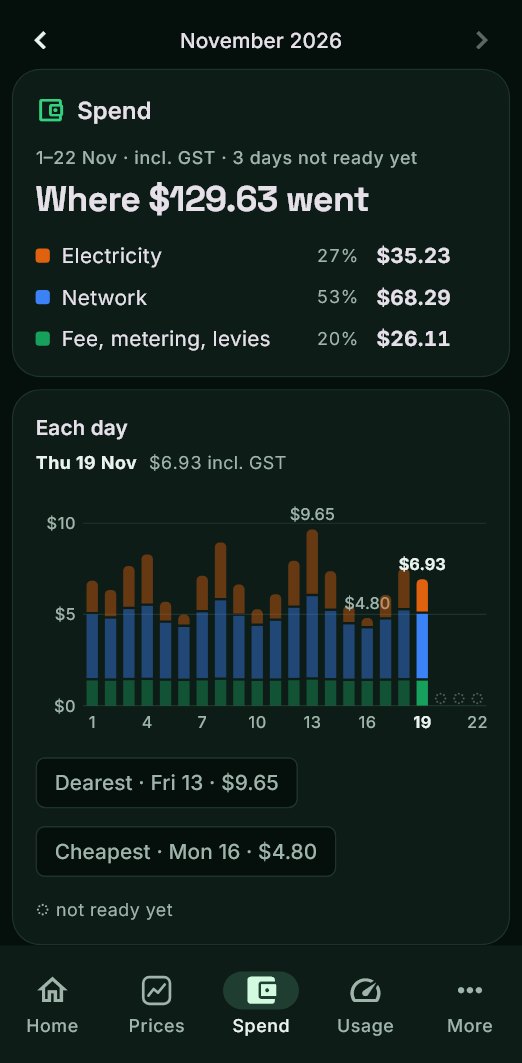
Where every dollar went
Spend shows where this period's money went, including GST, and what each day cost. Days whose meter data hasn't arrived are marked not ready yet.
The screen shows made-up figures for one solar household, 1–22 November.
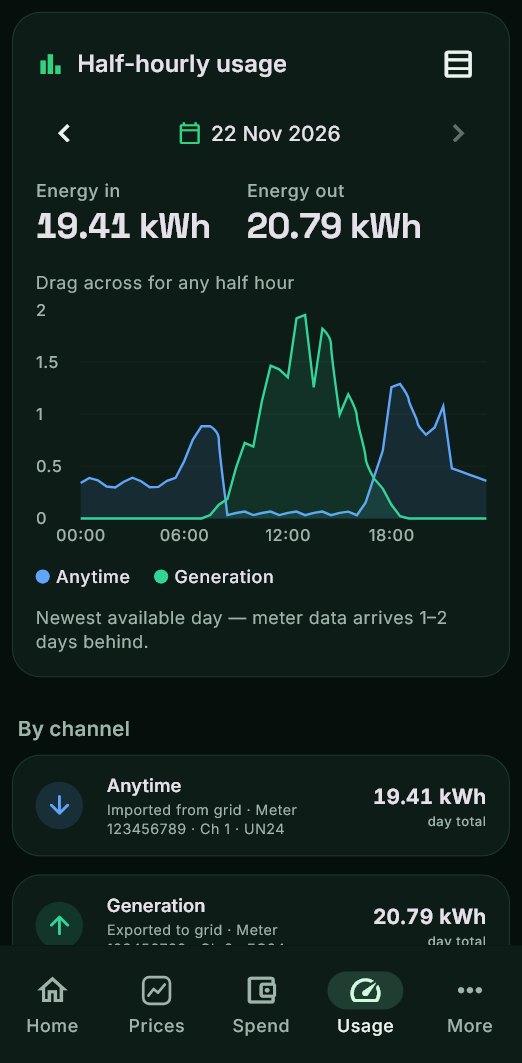
Every half hour
Usage shows what you used each half hour, and what your solar sent back, a day at a time. Drag across the chart for any half hour.
Meter data arrives 1–2 days behind, so the newest day shown is the newest available.
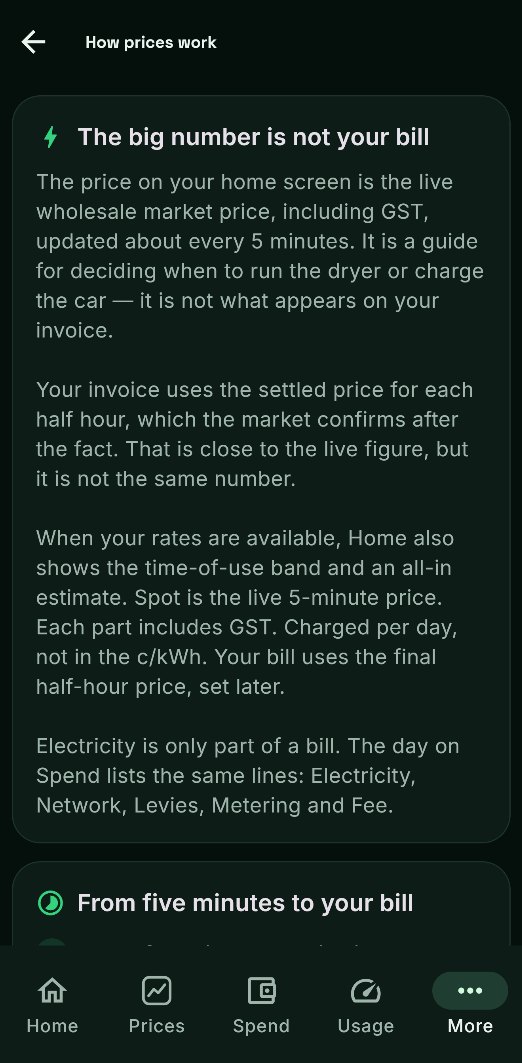
Know how it works
How prices work explains what 5-minute, forecast and final actually mean. The big number on Home is not your bill: your invoice uses the settled price for each half hour, which the market confirms after the fact. That is usually close to the live figure, but it is not the same number.
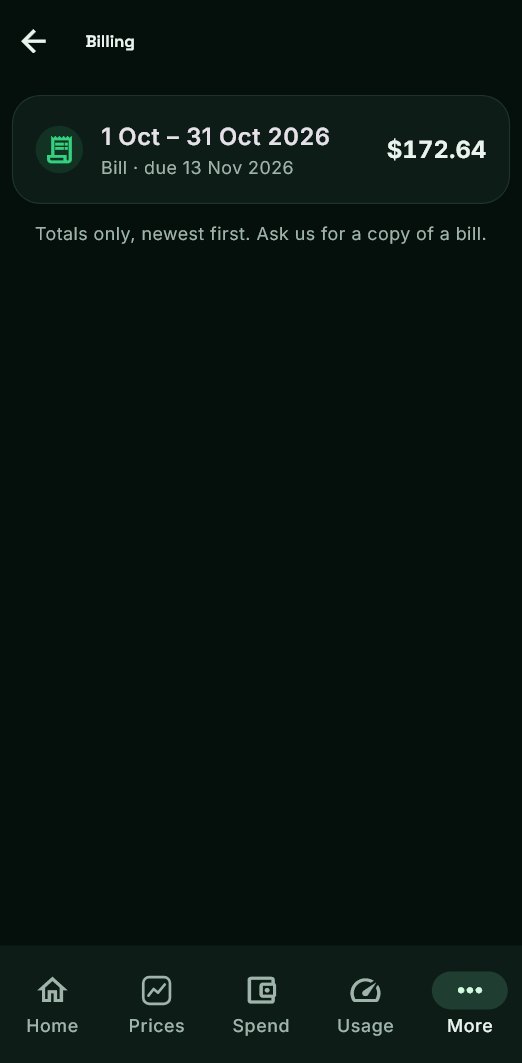
Bills in one place
Your bills, newest first, with each bill's due date and total. Ask us for a copy of a bill.
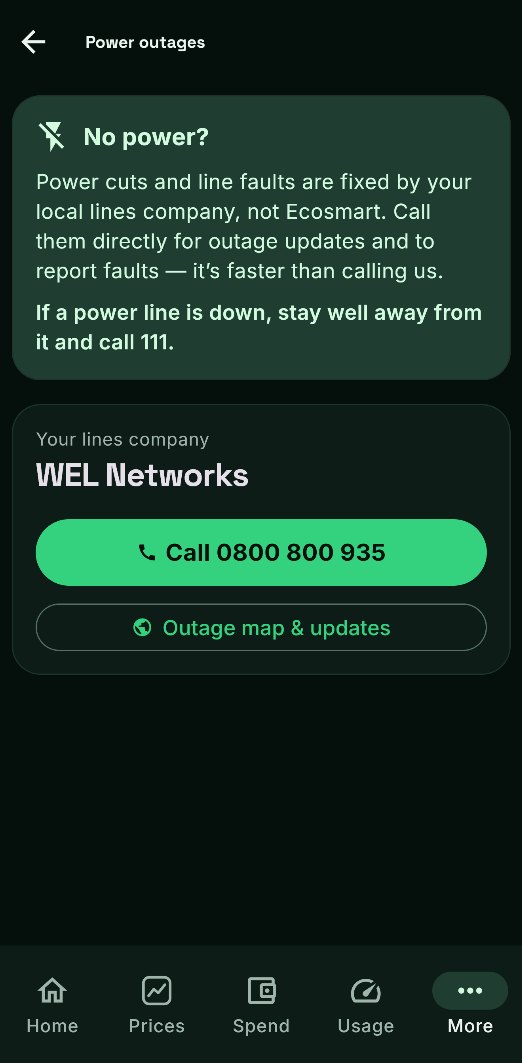
Power out?
Your local lines company repairs power cuts and line faults, not Ecosmart. The app shows who your lines company is, a button to call it, and its outage map and updates. Calling them directly is faster than calling us.
If a power line is down, stay well away from it and call 111.
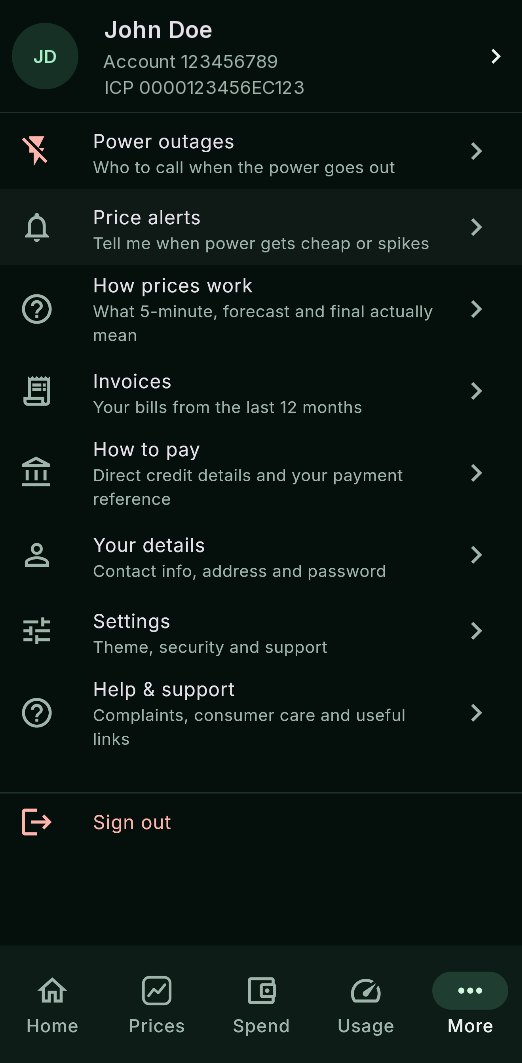
Everything else
More holds your price alerts, how to pay (direct credit details and your payment reference), your details, settings, and help and support: complaints, consumer care and useful links.
Settings is also where you create a key for our price API and Home Assistant.
Your price in Home Assistant
Ecosmart is built into Home Assistant from version 2026.11. Create an API key in the app and paste it into Home Assistant. Each property on your account becomes a device with a spot price sensor: the wholesale price at your grid exit point, in c/kWh including GST, updated about every five minutes. Your automations can use it.
- In the app, go to More → Settings → API keysGive the key a label, such as Home Assistant, and create it. The app shows the secret once, so copy it then and treat it like a password.
- In Home Assistant, go to Settings → Devices & services → Add IntegrationSearch for Ecosmart and paste the key.
A new key replaces the old one, so anything still using the old key stops working. The same key works with our price API, for your own script or other tools.
Customers get the app when they join
Prices can spike, and expensive months can come several in a row. Budget for them, and keep an eye on prices in the app.